Home Services Case Studies About Blog Contact 📞 1-800-890-6133
One-time · Read-only · $2,500

Microsoft 365 Security Assessment

We review the security settings of your Microsoft 365 environment, send you a findings report sorted by severity, and walk you through every finding on a complimentary review call. You order and pay online; your Global Administrator approves read-only access in about five minutes.

$2,500 one-time
  • Paid online in full when you order
  • Read-only: nothing in your environment is changed
  • Findings report sorted by severity
  • Complimentary review call, no obligation
  • Approved by Pro Link before it runs; full refund if we decline

What we check

About 80 security controls across your Microsoft 365 environment.

How it works

Fully self-service. You never need to give us an account or a password.

  1. Order and pay online

    Fill in a short form, then pay in Authorize.net's secure payment form.

  2. Approve read-only access

    Your Microsoft 365 Global Administrator completes two steps from our email, in about five minutes.

  3. We approve and run the assessment

    Our team approves every engagement before the assessment runs.

  4. We review every finding

    Our team checks every finding before your report is released.

  5. Your report and review call

    You receive the report and book a complimentary review call with us.

See a sample report

The same report template a client receives, filled with fictitious data for "Sample Company, Inc." and marked SAMPLE on every page.
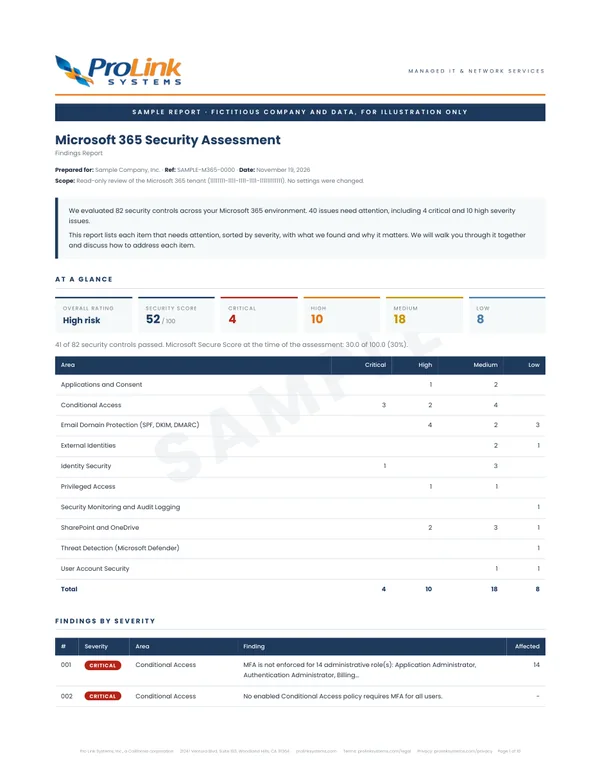
Sample report page 1: overall rating, security score and the number of findings by severity and area, for a fictitious company
Page 1: rating, score and findings by area
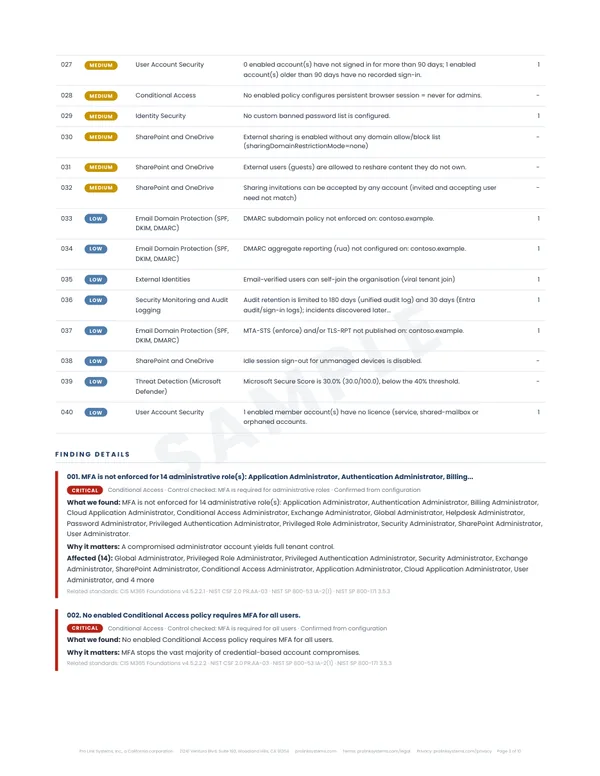
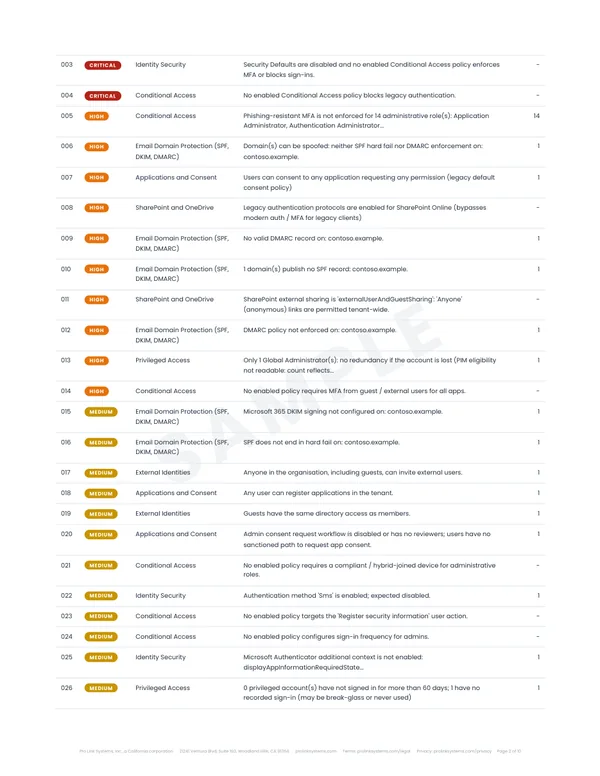
Sample report page 2: a list of findings sorted by severity, from critical to medium
Page 2: findings sorted by severity
Sample report page 3: the remaining findings and the first finding in detail, showing what was found and why it matters
Page 3: what we found and why it matters
View the sample report (PDF)

Sample data: the fictitious company in this report has 40 issues, 4 of them critical.

What's included

Included

  • Findings sorted by severity: critical, high, medium and low
  • For every finding, what we found and why it matters
  • An overall rating and security score
  • A complimentary review call: we walk through every finding with you, with no charge and no obligation

Not included

  • Changes to your environment: the assessment only reads settings

The report lists findings; it doesn't include instructions for fixing them. If you'd like help addressing the findings, we'll scope that with you after the review call.

Your data

Read-only from start to finish, and you stay in control of access.

Questions

Who needs to do the setup?

Your Microsoft 365 Global Administrator. After you order, they receive an email with two steps: approve read-only access for our assessment app, then give it Microsoft's built-in, view-only Global Reader role. It takes about five minutes.

Do you change anything in our Microsoft 365 environment?

No. The assessment only reads configuration and security settings. It changes nothing and cannot read the content of email or files.

How long does the assessment take?

Once your administrator has approved access, the assessment runs and our team reviews every finding before the report is released. We email you the report as soon as it is ready.

What happens after we receive the report?

You book a complimentary review call. We walk through every finding with you and talk about your plans. There is no charge and no obligation.

What if Pro Link declines my order?

Pro Link reviews and approves every engagement before the assessment runs. If we decline an order, we refund the payment in full.

Can I talk to someone before ordering?

Yes. You are welcome to book a call with us before you order, though it is never required.